If you run your service business from your phone, you already know the tradeoff: quick to check between clients, but cramped the moment you need to see your full calendar, review a client's history, and adjust your settings at the same time. Nextil now has full iPad support, giving barbers, stylists, estheticians, and other independent professionals a bigger screen to manage their entire business.
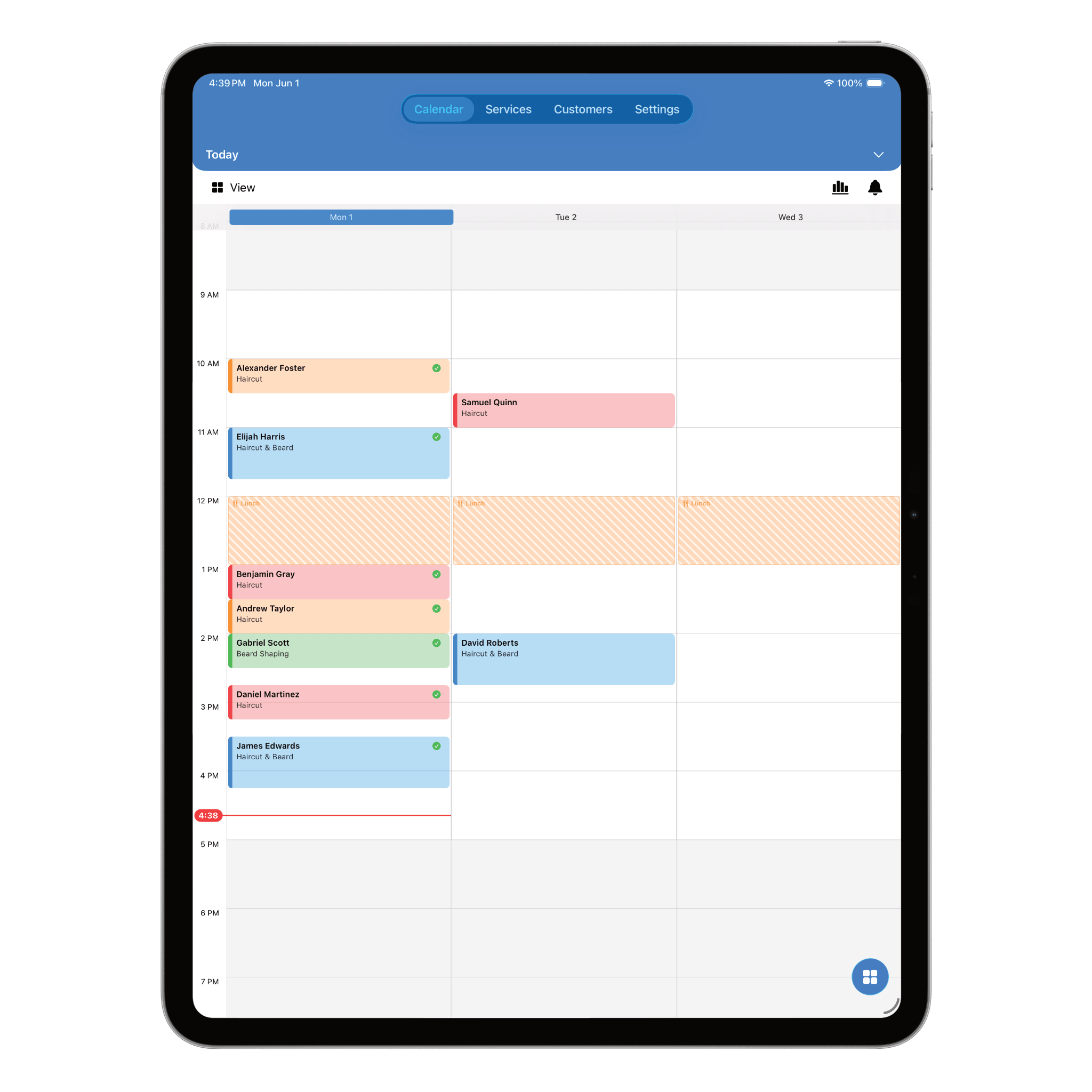
This isn't just a stretched-out phone screen. The iPad layout was redesigned specifically for the extra space, so you can see more of your business at once without losing any of the features you already rely on.
Why iPad Matters for Independent Service Professionals
- A bigger calendar view makes it easier to spot gaps and double-check your day
- Works well as a front-desk or reception setup, not just for on-the-go use
- Easier to review client notes and photos without squinting
- More comfortable for reviewing earnings and reports at the end of the day
None of this replaces the iPhone app. It's the same Nextil account, synced automatically, just with more room to work when you have it.
See Your Whole Day at a Glance
On iPad, your calendar can sit alongside your services, customers, and settings instead of one screen at a time. That means less tapping back and forth just to check a detail before confirming an appointment.
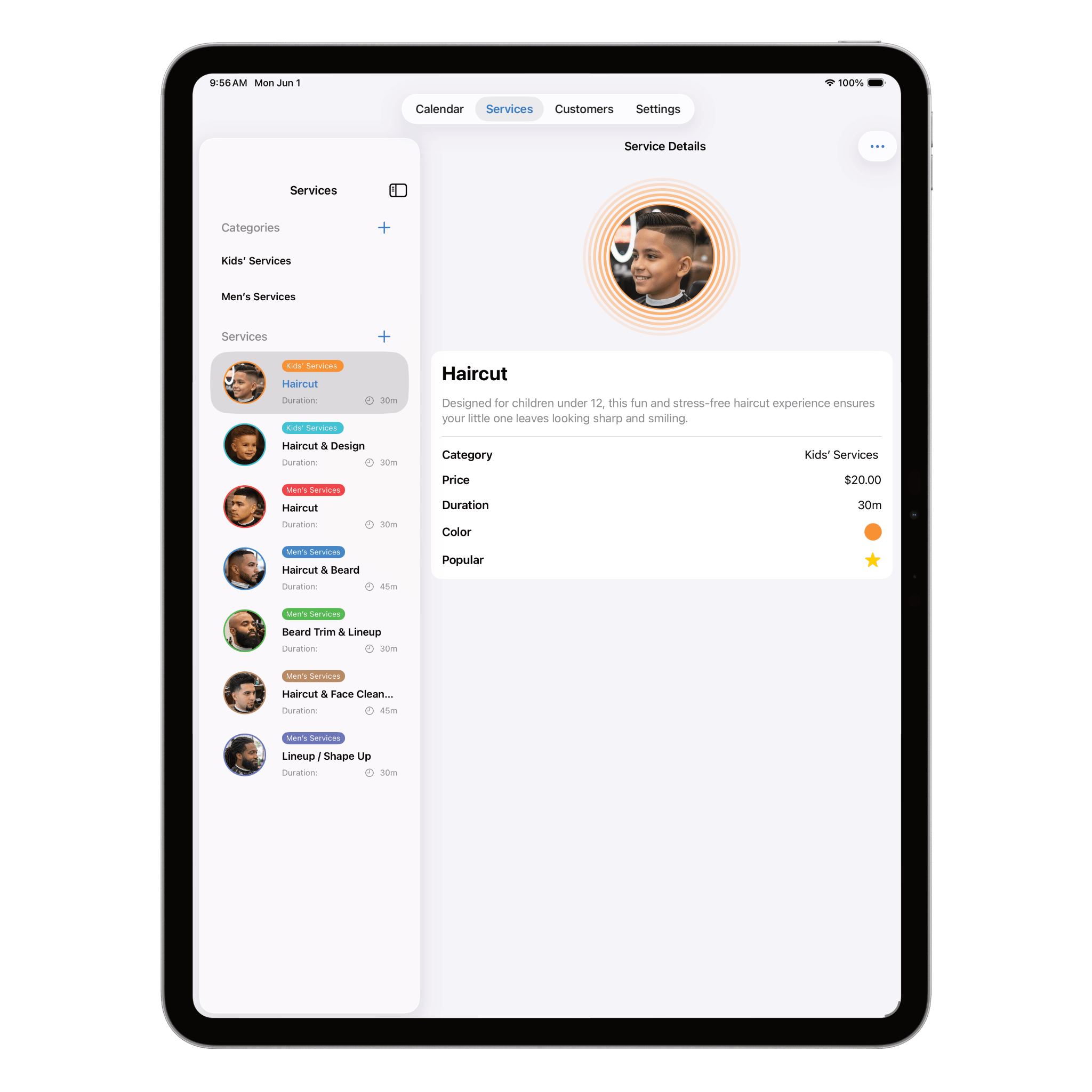
Manage Services and Pricing with More Room to Work
Updating your service menu — durations, prices, colors — is easier when you're not scrolling through a cramped list. The iPad layout gives your service settings room to breathe, so changes are faster to make and easier to review.
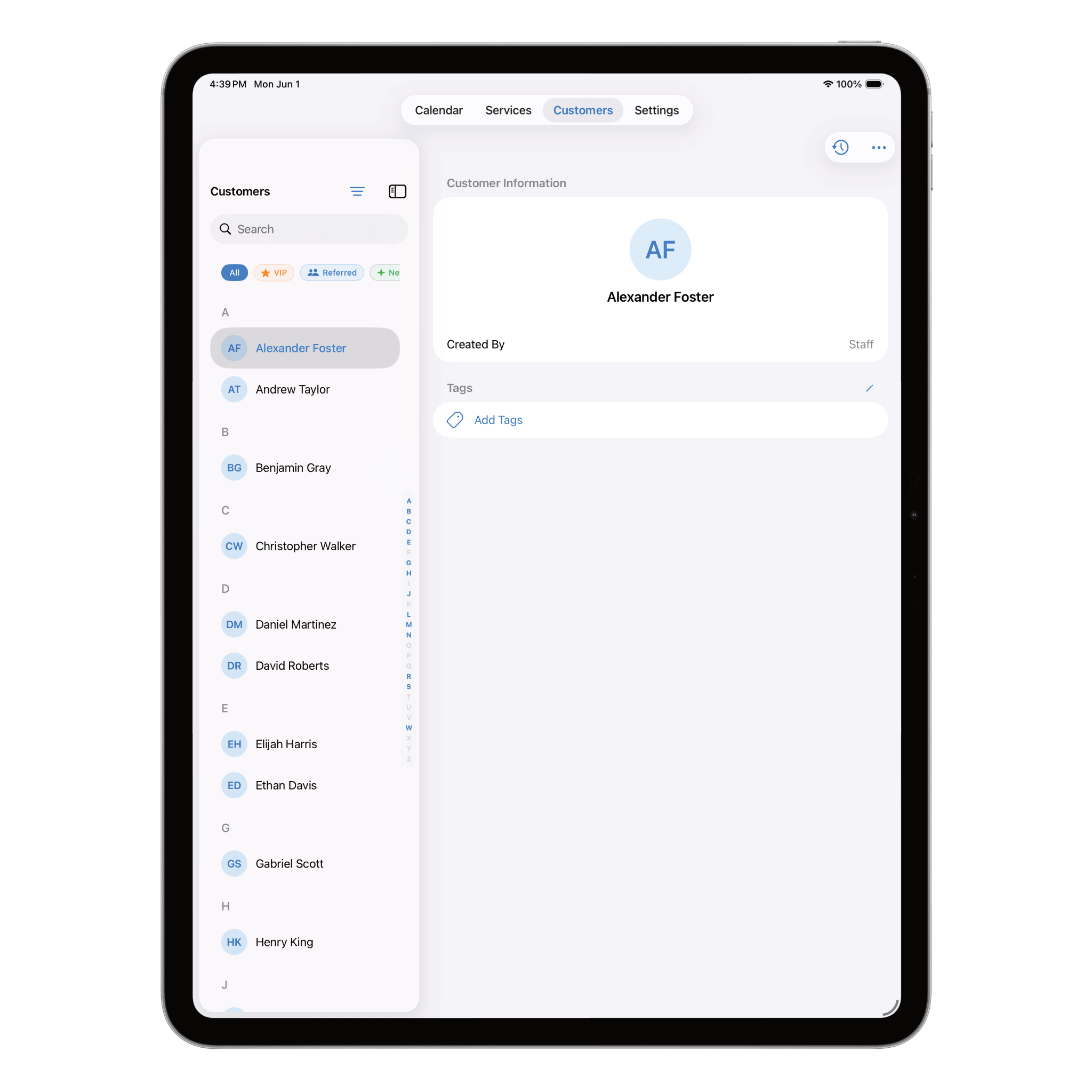
Client Profiles and History Without the Squinting
Client notes, photos, tags, and booking history show up with more detail visible at once, so you can pull up a client's profile before their appointment and actually read it comfortably.
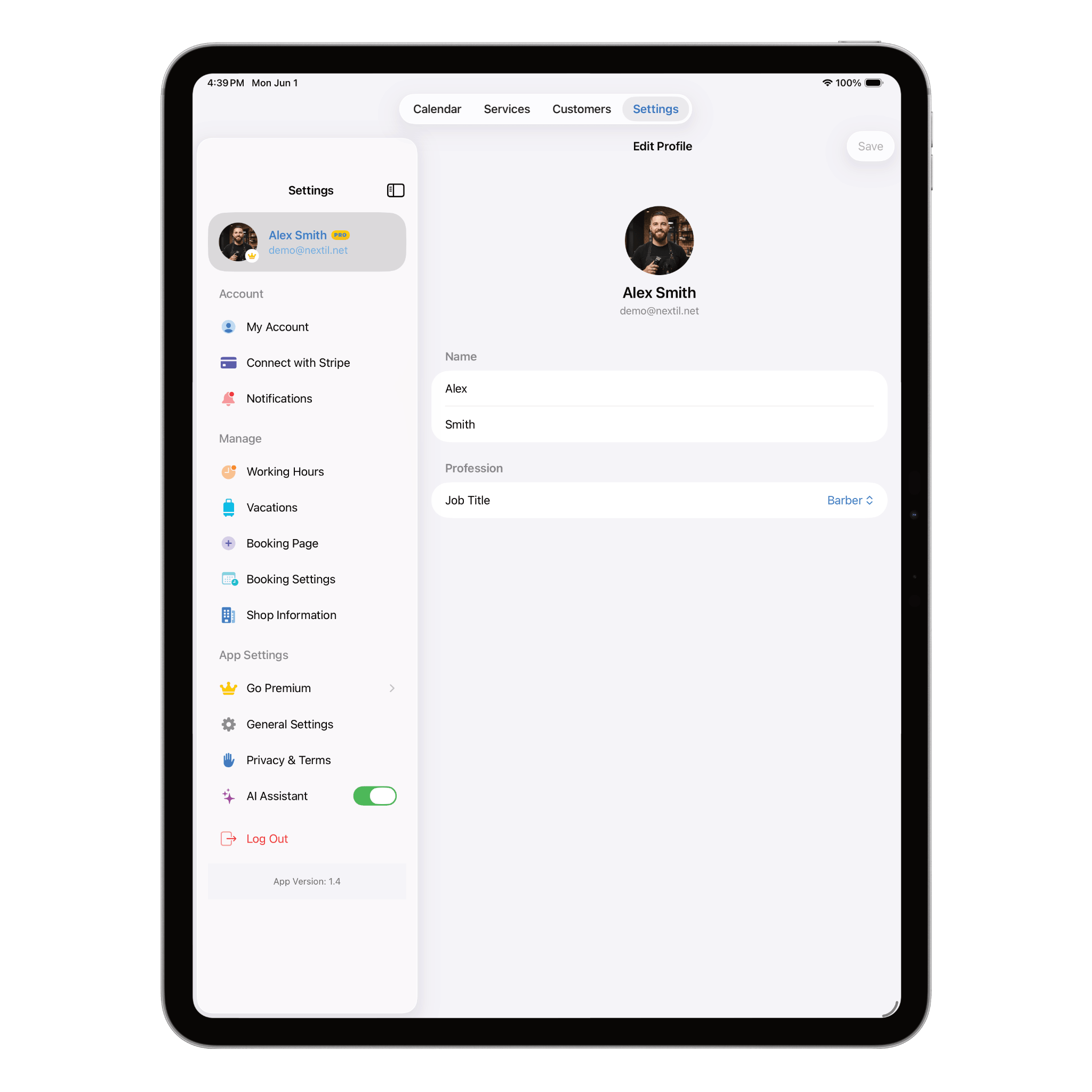
Settings and Business Controls in One View
Working hours, notice period, buffer time, cancellation policy, and vacation mode all live in Settings. On iPad, you can review and adjust these business rules without losing your place, since more of the page is visible at once.
The Same Nextil You Know, Just More Room
iPad support doesn't mean a different app to learn. Every feature you use on iPhone — online booking, payments, client tags, the AI assistant, earnings tracking — works the same way on iPad. Your data stays in sync across every device automatically, so you can start your day on iPad and finish it on your phone without missing a beat.
How to Get Started on iPad
- Update Nextil from the App Store on your iPad
- Log in with your existing Nextil account — no new setup required
- Your calendar, clients, services, and settings appear automatically
- Switch between iPhone and iPad anytime; everything stays in sync
Related: How to Manage Appointments as a Solo Barber (Without Stress) →
See everything Nextil does on iPad →
Final Thoughts
A bigger screen won't change how you cut hair, apply lashes, or give a massage — but it can change how comfortably you manage the business side of it. With full iPad support, Nextil gives independent professionals a proper dashboard for the moments when a phone screen just isn't enough room to work.
Frequently asked questions
Try Nextil on iPad Today
Update the app on your iPad and log in with your existing account — your calendar, clients, and settings are already there.